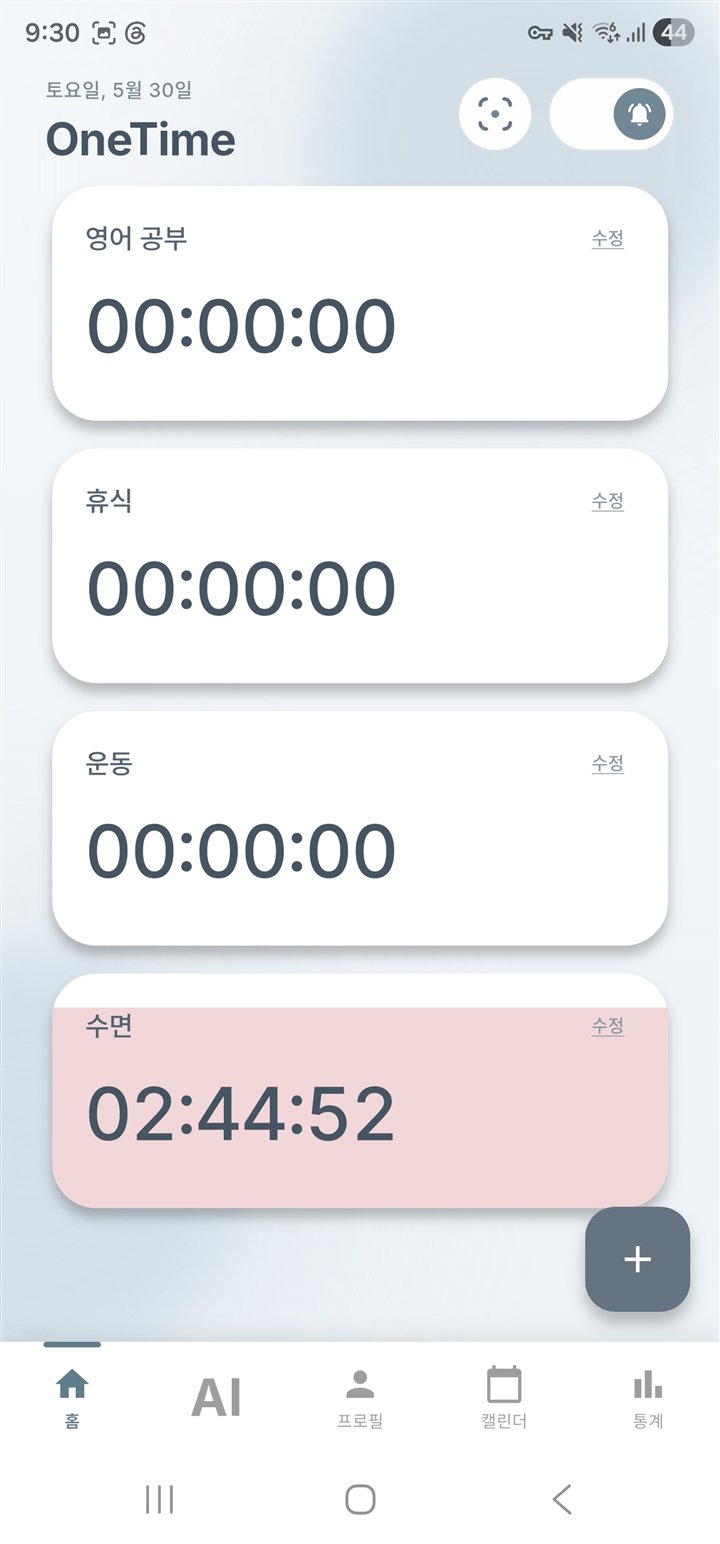
01 · ONE TAPStart recording
Start recording
before overthinking.
Tap a custom activity such as study, work, exercise, or rest. There is no long form to complete before you return to what matters.
 OneTime
Personal time tracking that starts with one tap
OneTime records your activities with one tap, turns them into a daily timeline and statistics, and helps you review your time-use patterns so you can choose and check your next small action.


Free to download for iPhone and Android. Check each store for current advertising and in-app purchase conditions.
Why record
A busy day can still feel vague. OneTime shows how study, work, exercise, and rest fit together, giving you a record you can use to decide what to keep and what to change.
Record → Reflect → Adjust
Inside OneTime
Tap a custom activity such as study, work, exercise, or rest. There is no long form to complete before you return to what matters.
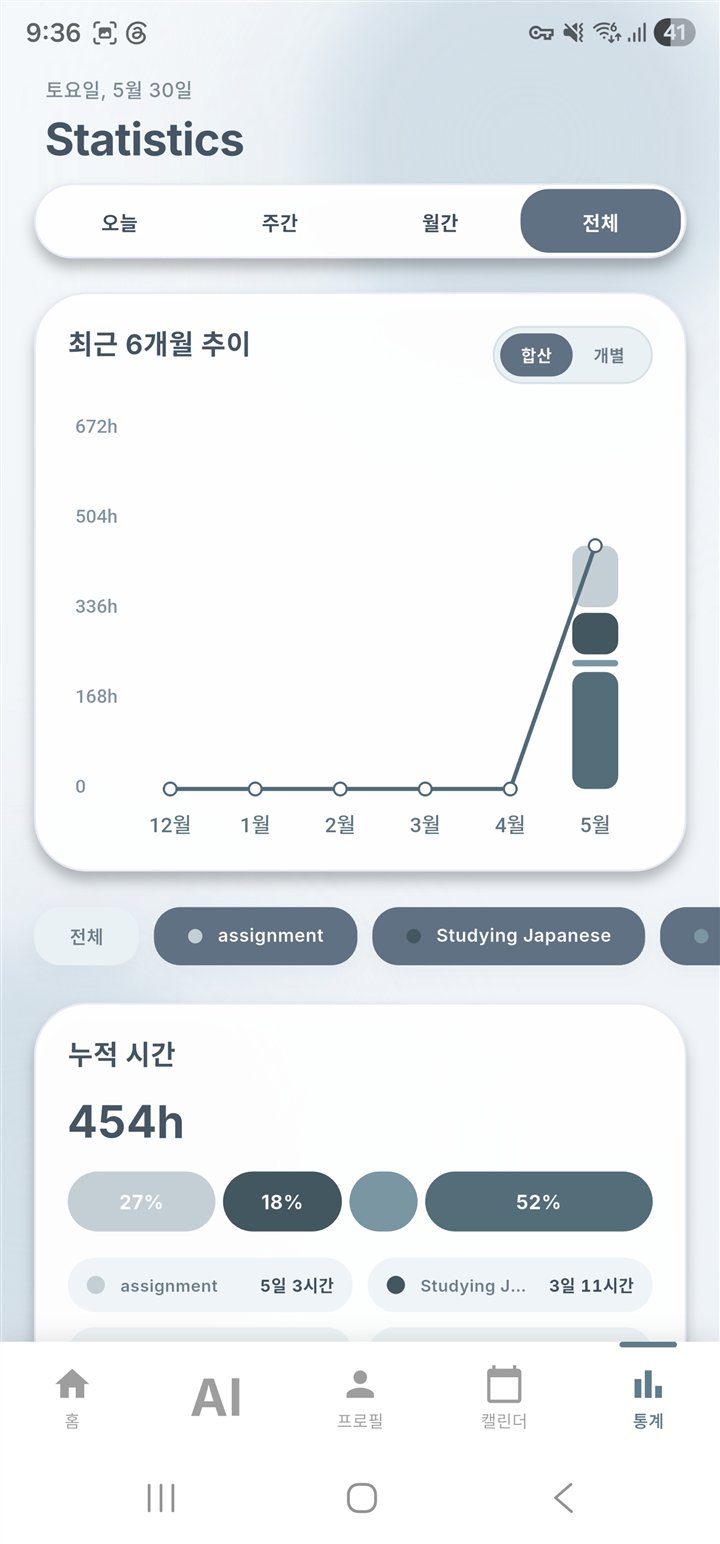
Your sessions become a daily timeline and, over time, weekly and monthly statistics. Compare where your time goes and notice recurring patterns.
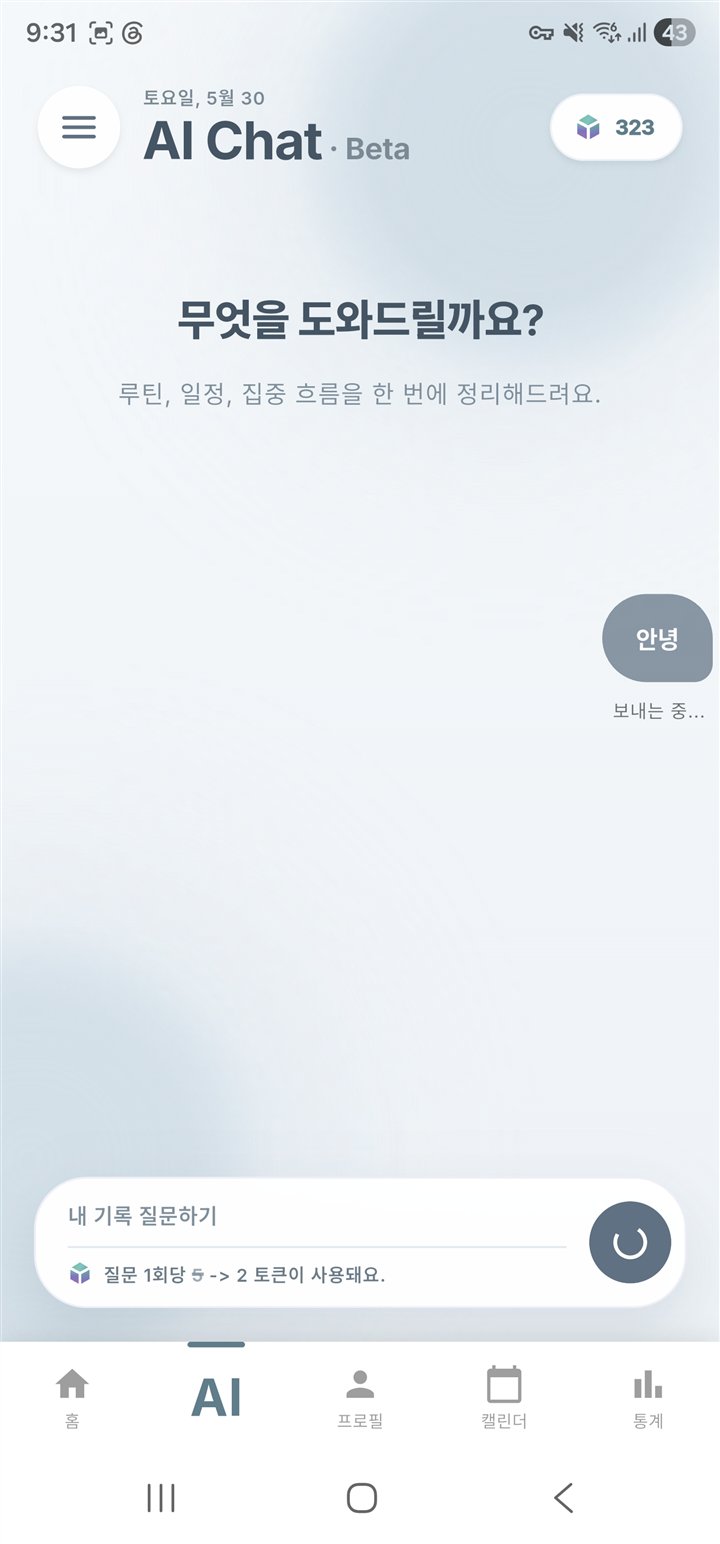
AI Chat is a separate conversational feature for interpreting records and asking follow-up questions. It does not guarantee a correct answer or outcome, and access conditions are shown in the app.
Evidence, not a promise
Monitoring progress can support continued goal-directed behavior. OneTime does not promise success; it gives you a concrete record for reviewing what you did and choosing what to try next.
Read the meta-analysis on monitoring goal progressFor your real day
Questions
OneTime is a personal time-tracking and coaching app that records activities with one tap and helps you review the flow of your day through timelines and statistics.
It connects individual sessions into a daily timeline and longer-term statistics instead of ending with a single measurement.
Yes. You can download OneTime from Google Play and the App Store.
No. AI Chat helps interpret records and continue a conversation. Its answers do not guarantee a correct decision or result.
Start with today